



What comes to mind when you hear the phrase "Sacred Community"? #questions


Here are a few things that make our community special:
In other words, we've chosen a spot designed to grow with us over time.
Here are a few things to know as you get started:
Add a profile photo of your beautiful face. When we can't be together in person, photos make a huge difference. Also, add your mini-bio or, better yet, a quick introduction for new people.
You can do this by choosing Edit on your Profile.
Adjust the notifications you receive over email or mobile at any time. To tweak them, click on your face in the upper right hand corner, choose Your Settings, and click Notifications. Adjust accordingly. Same for sounds.
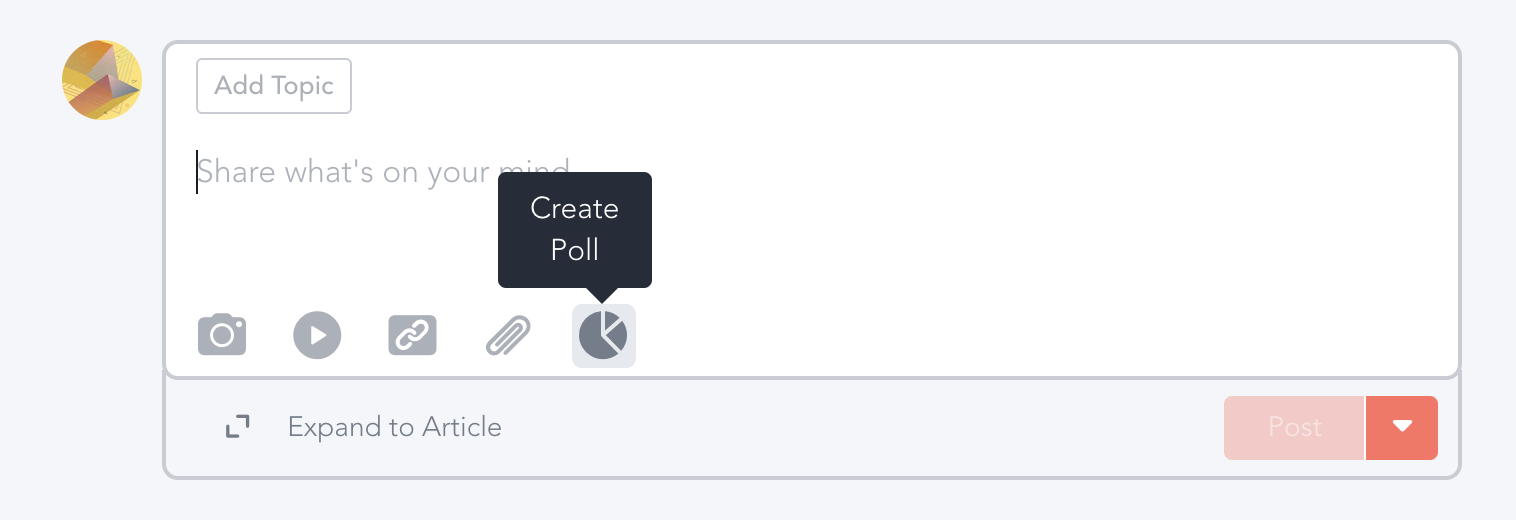
When you click into the main box on the Home screen, you'll get different options from adding a post to uploading a photo, embedding a video via a link, sharing a link or a file, or creating a poll.
There are three different kinds of polls, all of which are awesome––multiple choice, hot/cold (great for how you and other members feel about something), and percentage of time or resources.
If you want to add a gif, do it by adding a photo. Sacred Inclusion Network doesn't have a gif keyboard just quite yet.
Nothing is lonelier than a post without comments or cheers, or a poll that is flailing in the wind.
Go ahead. Share your answer, say hey, or if you're in a hurry, click the cheer button.
You'll be prompted to add your posts to a Topic. Go for it. They are here to help us keep things a bit organized. If you have recommendations for other Topics for us to add, let us know in the comments below.
To get the iOS or Android app, go to Your Settings, and text yourself the app. Alternatively, download the Mighty Networks app from the Apple App or Google Play Stores, search for Sacred Inclusion Network, and sign in again (doesn't work for secret Mighty Networks, but give it a try).
We're creating something special with Sacred Inclusion Network. Please share generously, be quick to support other members, and resist the temptation to troll, self-promote, or judge. We're doing something different here.
Drop them here in the comments below on this post. 👇

Comments
Start the Conversation
I'm old. I can't figure out how to get the Network on my phone, but I think it's for the best! LoL
Let's breathe!